Robots playing football
Our robosoccer journey
RoboSoccer Overview
Our first robotics project was our RoboSoccer bot.
It’s not a human like robot playing soccer with robotic legs — it’s a simple RC-controlled, four-wheeled bot (you can think of it as a small car) that pushes the ball toward the goal. Matches are usually 1v1.
The Bot
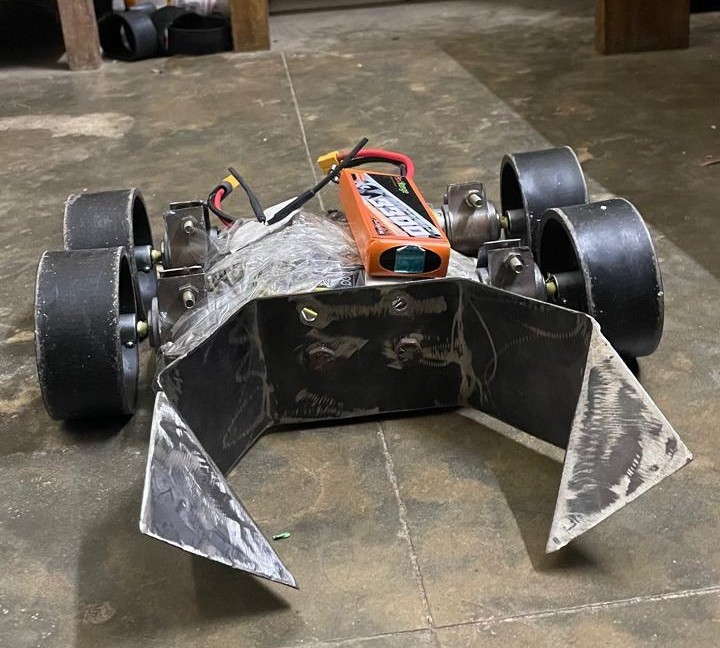
Here is our first build. I think it looked pretty good — but unfortunately, it broke during its very first match. :(
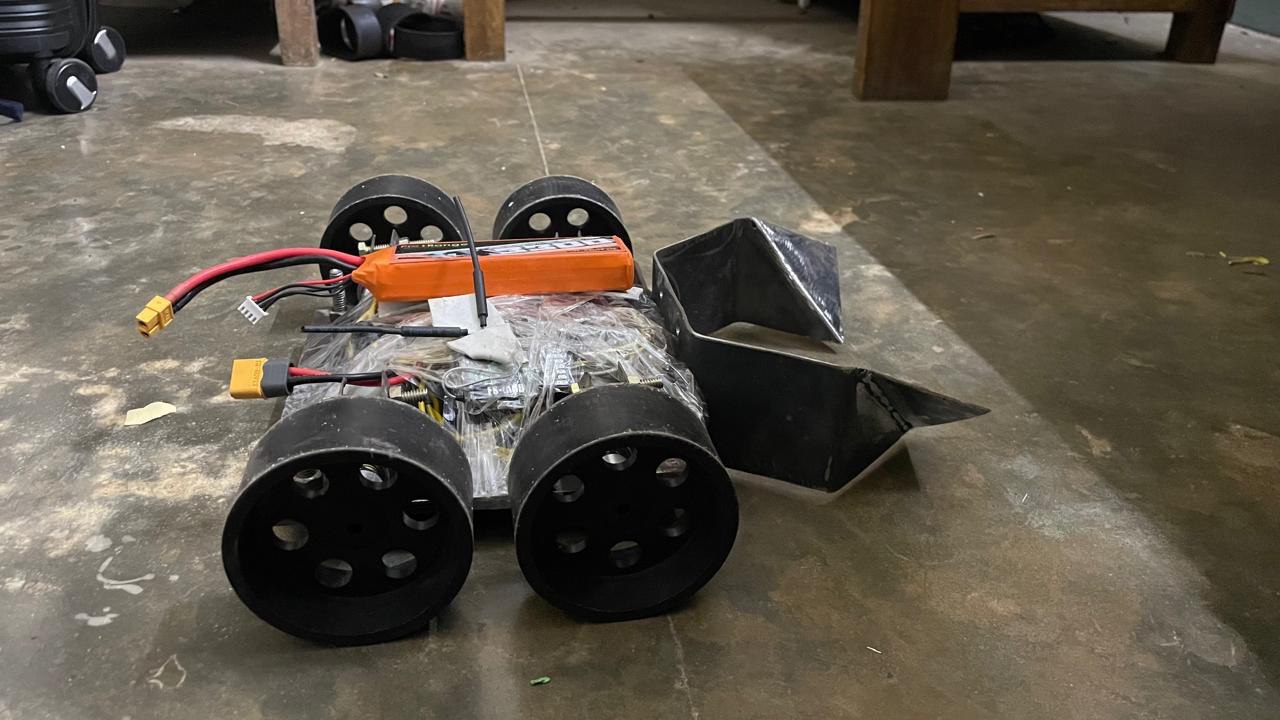
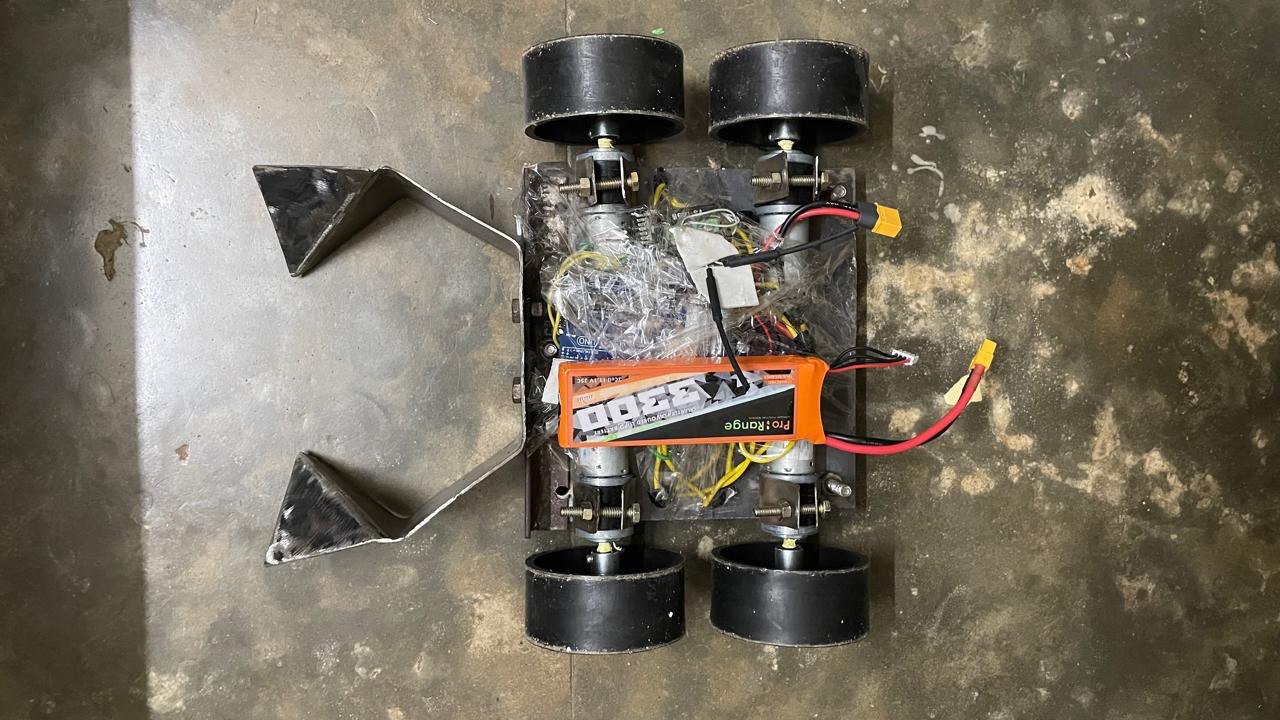
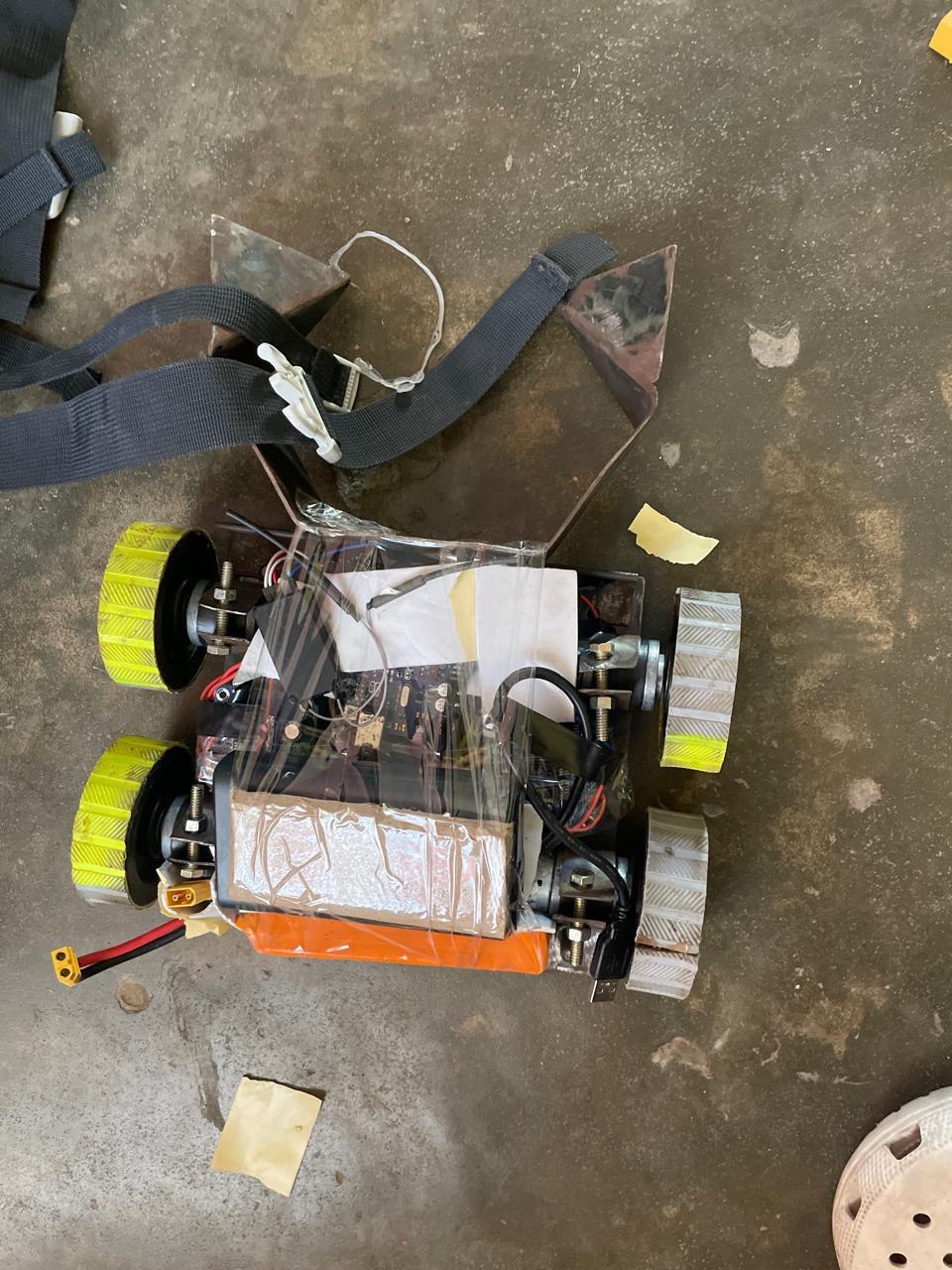
Here is our V2. I don’t have a great photo of it, and it doesn’t look better than V1 — but it managed to score a few goals and lasted until the end. It was a good improvement!
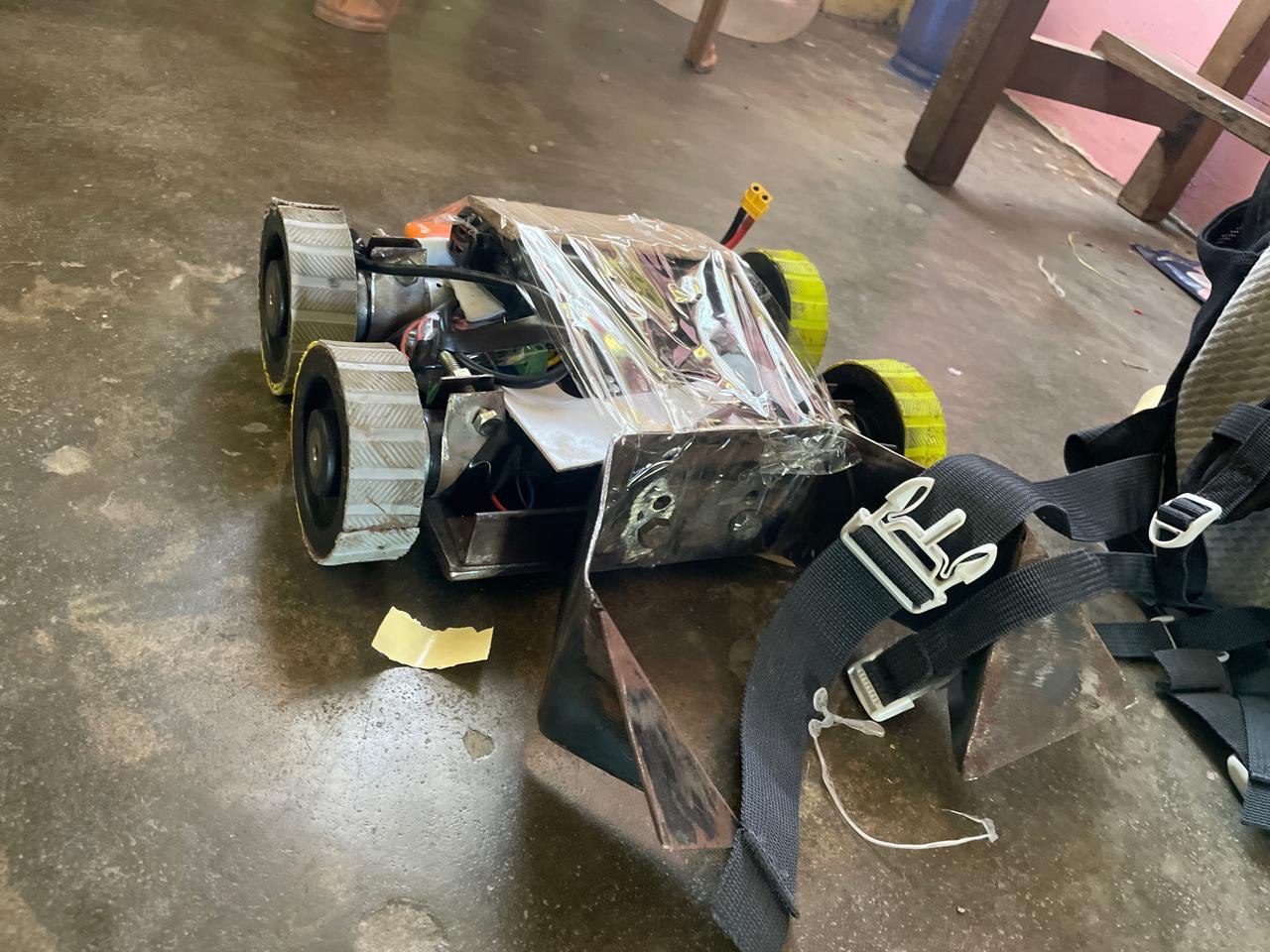
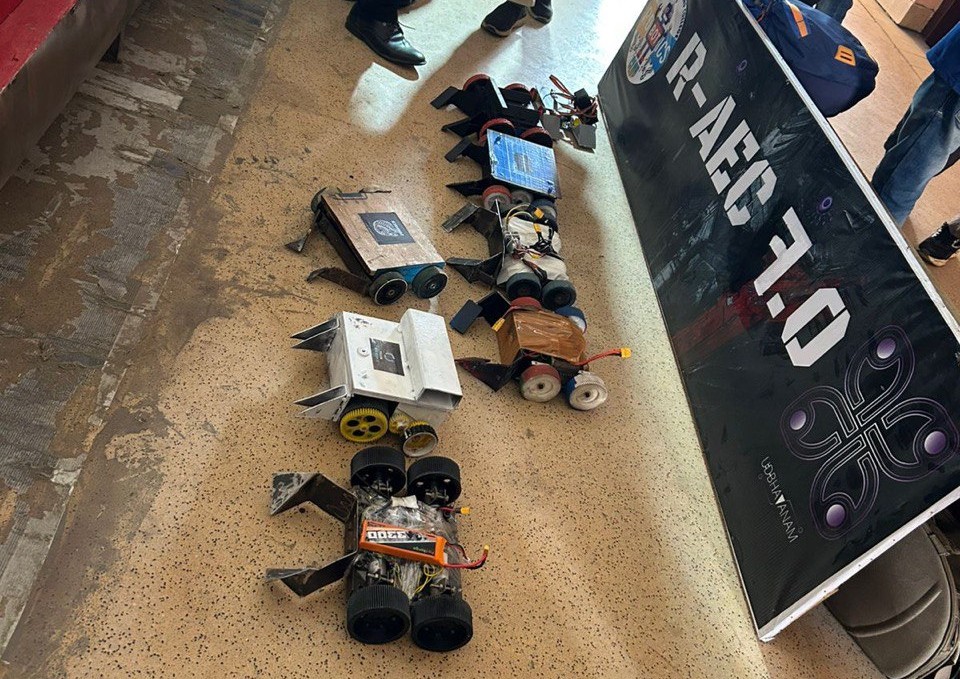
Here are some images of bots from other teams. They are much more advanced and built by teams with way more experience than us.
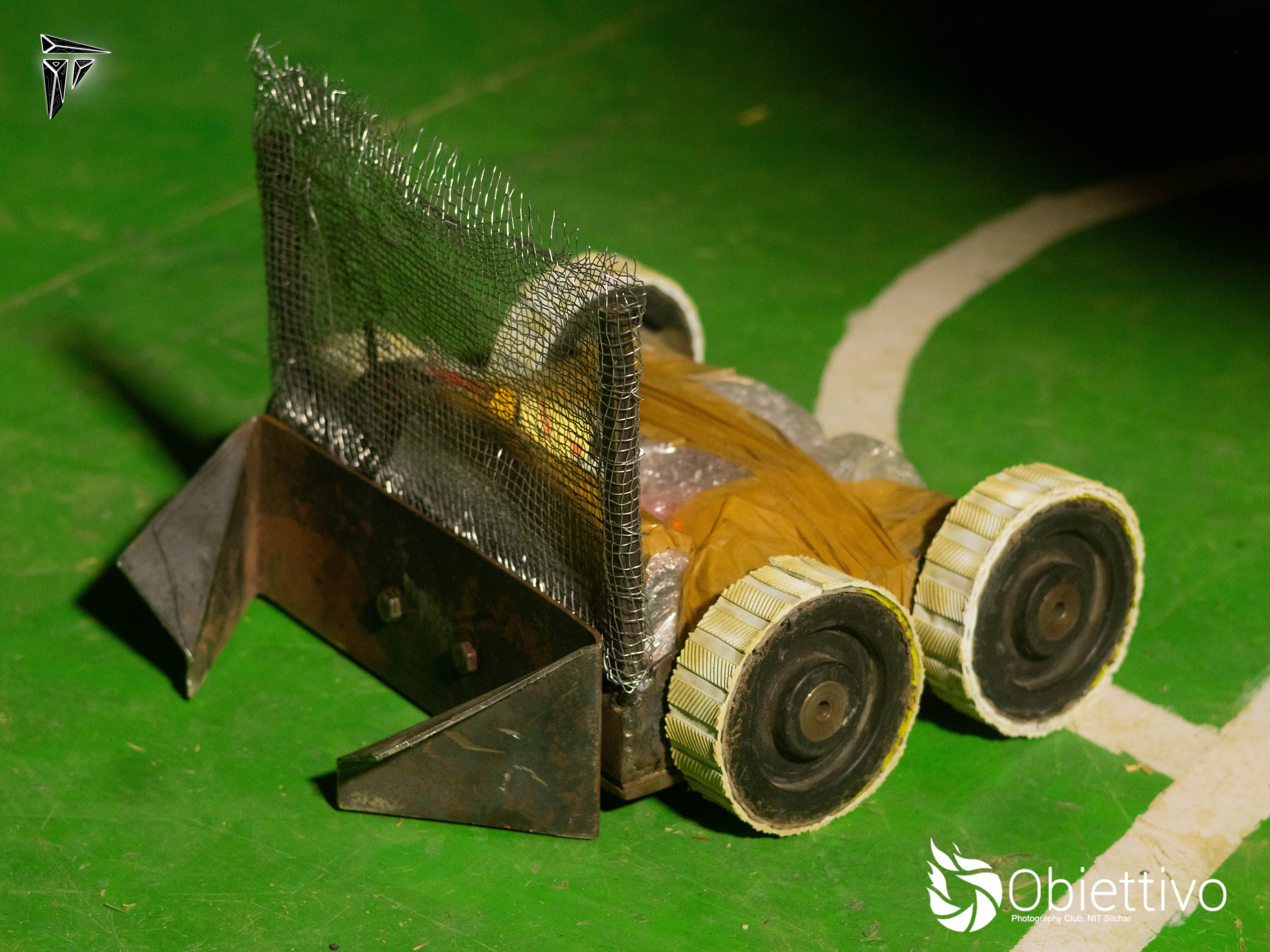
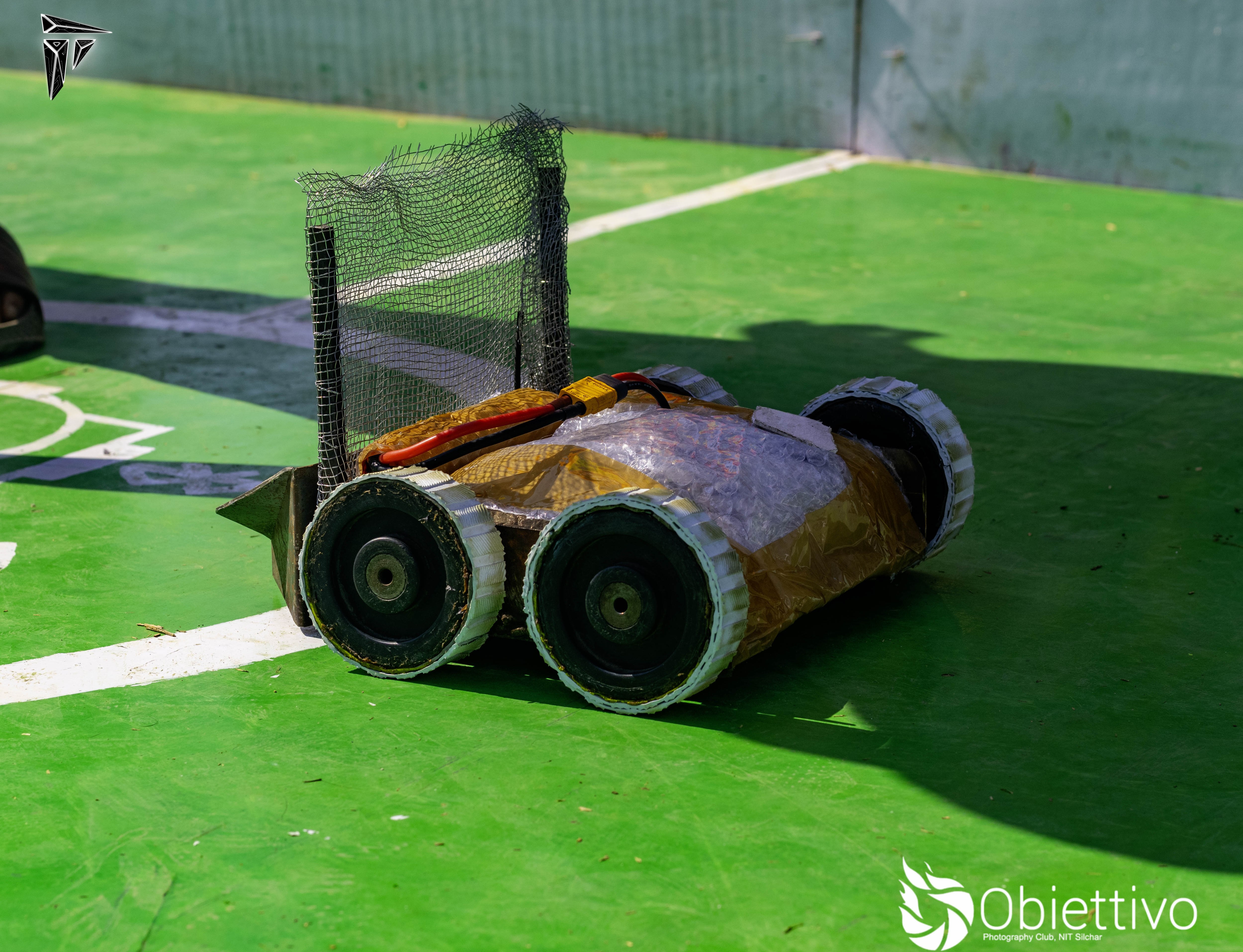
Our v3 bot along with our other partner bot won first position in a compeition, Our first win yay. It was a 2v2 match and all thanks to our other bot which is a beast. Below are some images
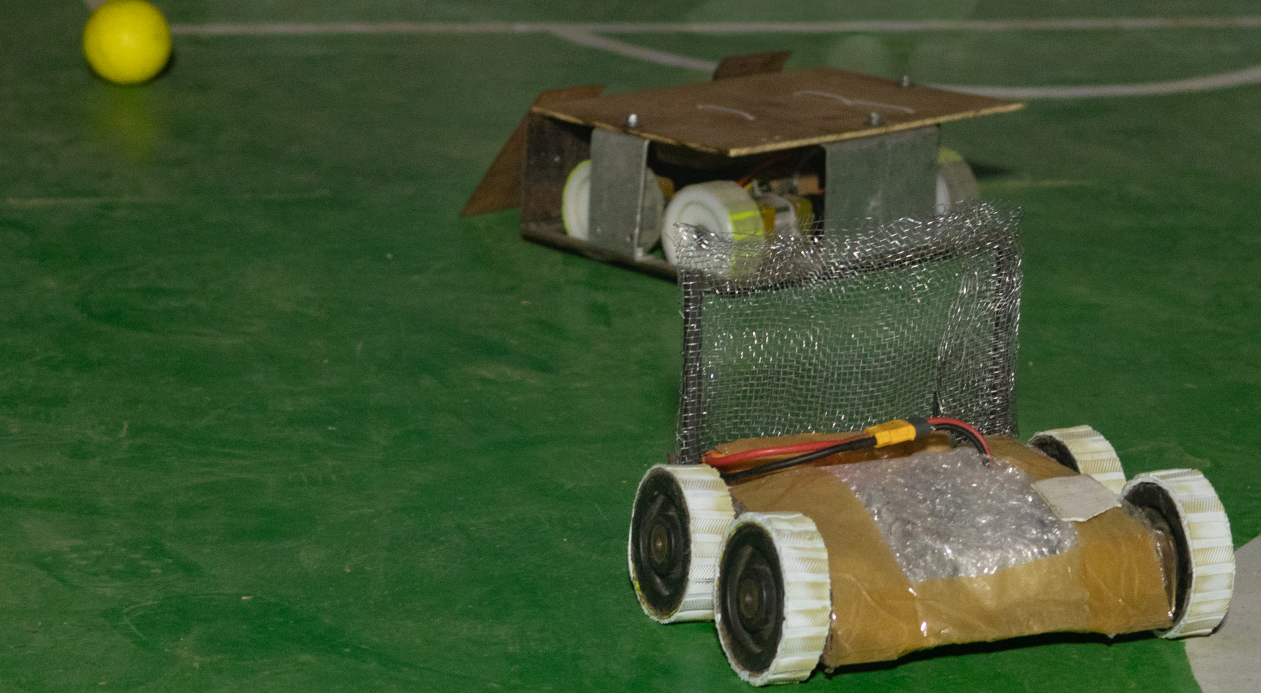
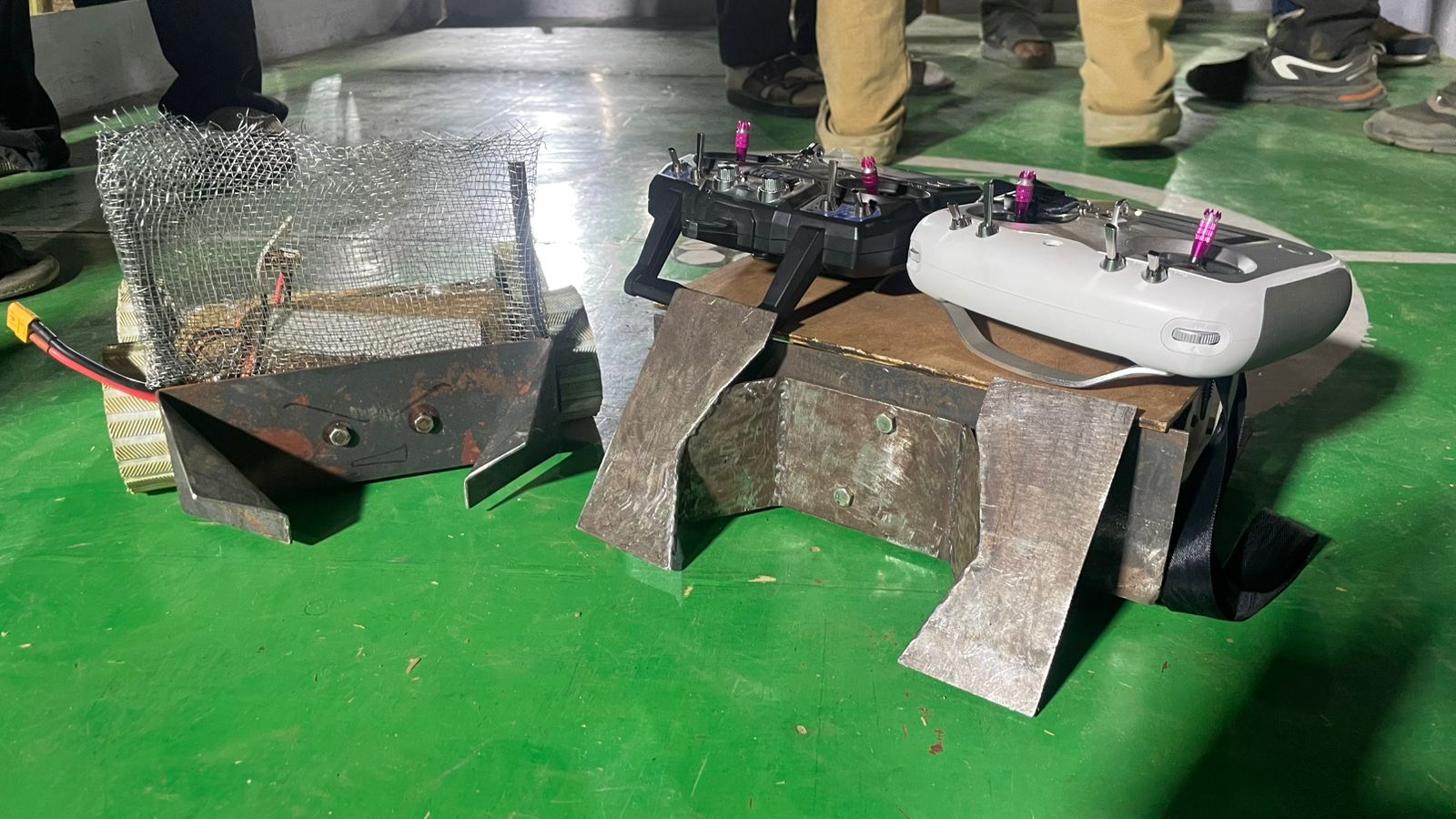
The Arena
This is what an arena looks like. It’s about 2.5m by 2m in size.
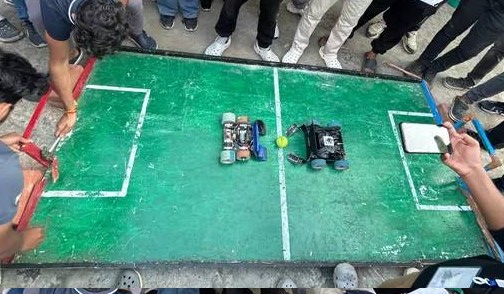
The Game
The objective of the game is the same as in regular football: score goals. The team that scores the most goals wins the match.
Here is a clip from one of our games. As you can see, it’s more like sumo wrestling than football!
Here are links to some games that are much better than ours:
Now let’s talk about our robot
Introduction #
Here is a dissection of our bot showing all its key components:
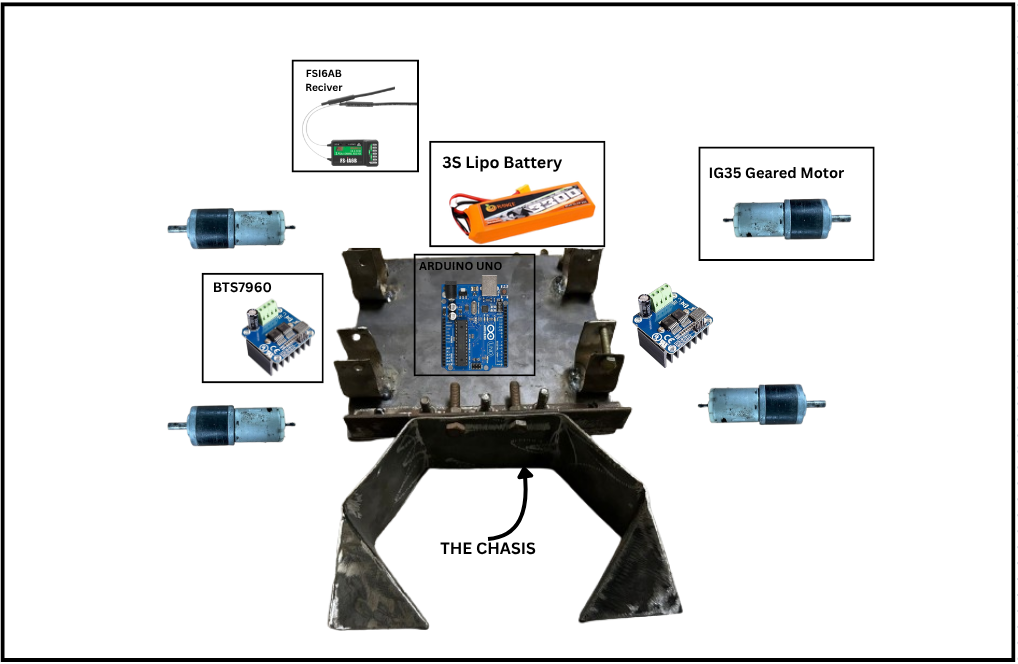
The chassis is built out of mild steel, and the whole bot weighs around 5 kg with the battery included. Most competitions allow a weight limit of 5 kg, but some permit up to 7 kg — in such cases, we can add additional weights.
The key to building a good RoboSoccer bot is ensuring it’s sturdy enough to withstand the beating from other heavy bots, while also having enough torque to push opponents. At the same time, it must be agile enough for precise control during fast-paced matches.
Components #
The Motor: #
These are the most critical components of the bot, so finding the right motor for our use case was a challenging task — especially since it was our first time working with such motors.
We did a bit of research on different motor types and their specifications. You can find a basic overview of motor fundamentals here.
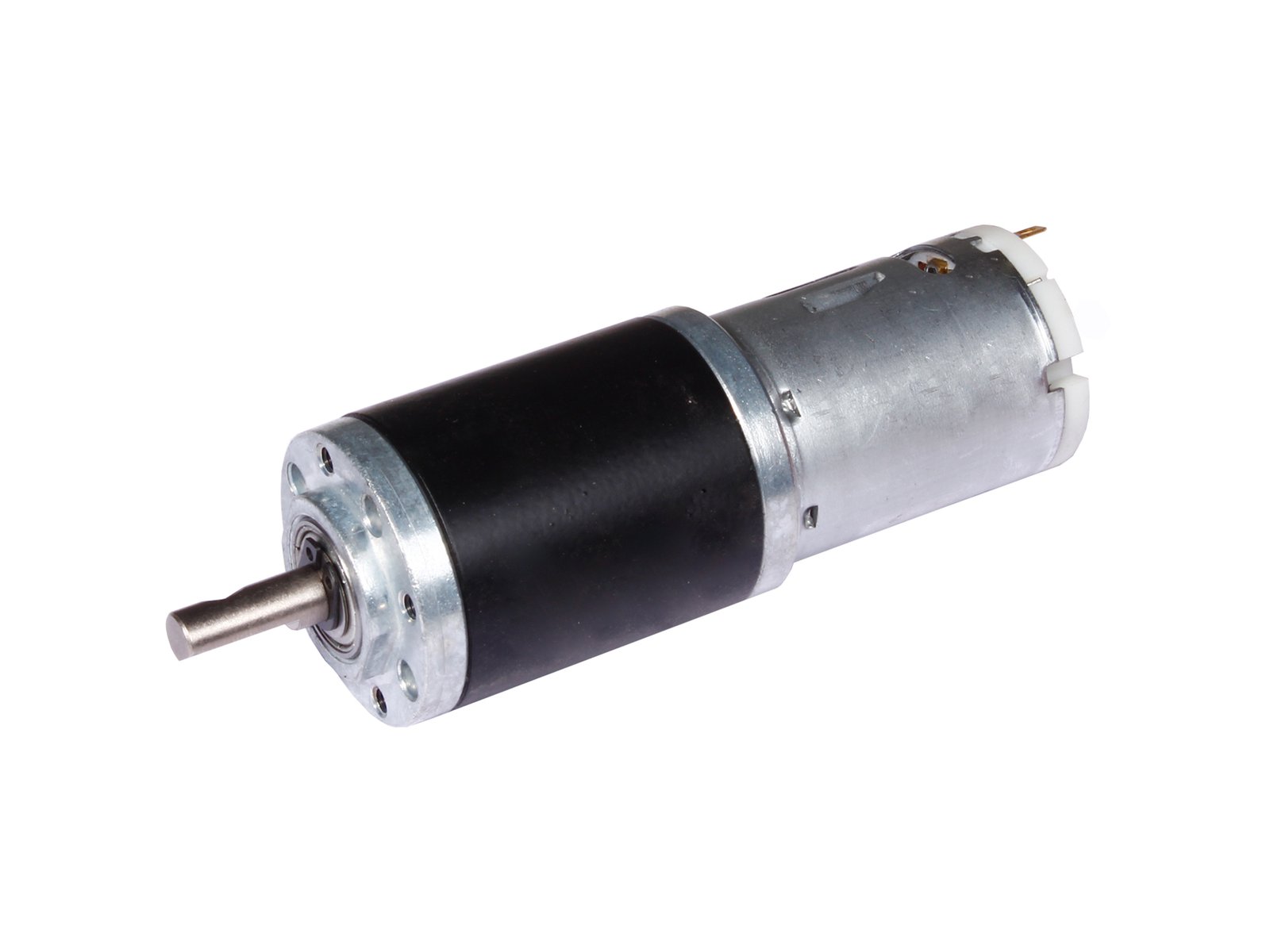
We eventually chose 12V 300 RPM planetary geared motors called IG32 from Rhino Motors. These offered the best value and performance in our budget range.
This is an image of the motor we used:
Here are its dimensions:
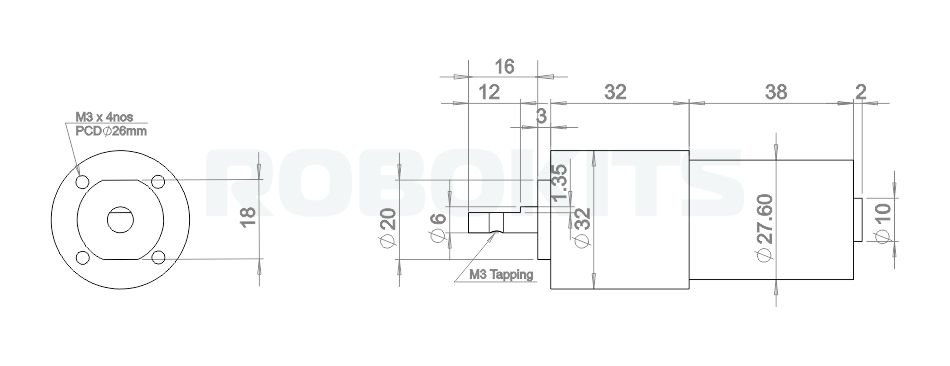
And below are its detailed specifications:
| Specification | Details |
|---|---|
| Type | 12V DC Geared Motor with Metal Planetary Gearbox |
| Base Motor RPM | 18000 RPM |
| Output RPM | 300 RPM |
| Gearbox Stages | 3-stage planetary |
| Rated Torque | 10 kg·cm |
| Stall Torque | > 40 kg·cm (use at rated torque for longevity) |
| Shaft Type | D-type |
| Shaft Diameter | 6 mm |
| Shaft Length | 16 mm total (12 mm D-shaped) |
| Shaft Thread | M3 threaded hole |
| Back Shaft Length | 9 mm |
| Gearbox Diameter | 32 mm |
| Motor Diameter | 28.5 mm |
| Motor Length | 70 mm (without shaft) |
| Weight | 300 g |
| Supply Voltage | 12V DC |
| No-load Current | 800 mA |
| Load Current (Max) | Up to 7.5 A |
| Coupling Options | CNC coupling (6 mm) or fixed coupling |
You can buy these motors here
The Motor Driver: #
These are the controller of the motors , The arduino will give commands to the motors how to run by changing the potential difference accross the motor terminals but the motor works at 12V and the Arduino can only deliver 5V at max also the Arduino is not capable of providing the current the motor draws , so here the motor driver comes , It takes the 12V input directly from a battery and than takes 0V-5V commands from the Arduino and depending upon the Arduino commands it passes down the 12V voltage to the Motor terminals , also it can reverse the polarity of output voltage to get a reverse spin of the motors. There are several types of motor drivers available , you can learn more about motor drivers and their workings here.
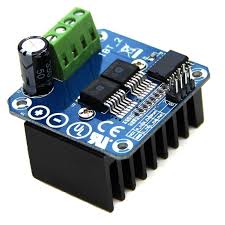
We considered the motor requirements and the battery and choose the BTS7960 Motor driver. They are cheap , have high current rating and was a good match for us. We recived a damaged driver that wasted a lot of our time so , always check them one by one directly first.
Here is a image of our driver:
Here is its datasheet: here
And below are its detailed specifications:
| Specification | Value |
|---|---|
| Voltage Rating (V) | 6 to 27 VDC |
| Current Rating (A) | 43 |
| Max. Current (A) | 43 |
| Logic Voltage (V) | 3.3 – 5 |
| Duty Cycle | 0 – 100% |
| Path Resistance (Ω) | 16 mΩ at 25°C |
| Quiescent Current (µA) | 7 µA at 25°C |
| Pulse Frequency (kHz) | 25 |
| Dimensions (mm) (L×W×H) | 50 × 50 × 43 |
| Weight (g) | 67 |
| Shipping Weight (kg) | 0.07 |
| Shipping Dimensions (cm) | 6 × 6 × 4 |
You can buy it from : Robu , Robokits or any other place you like.
The Microcontroller: #
We used a Arduino UNO R3 , It contains a ATmega328P Processor , Its task in our bot is just to recive the pwm signals from the reciver and forward it to the motor driver. I will not explain it here since it has a very good docs that you can find here
The Transmitter and Receiver: #
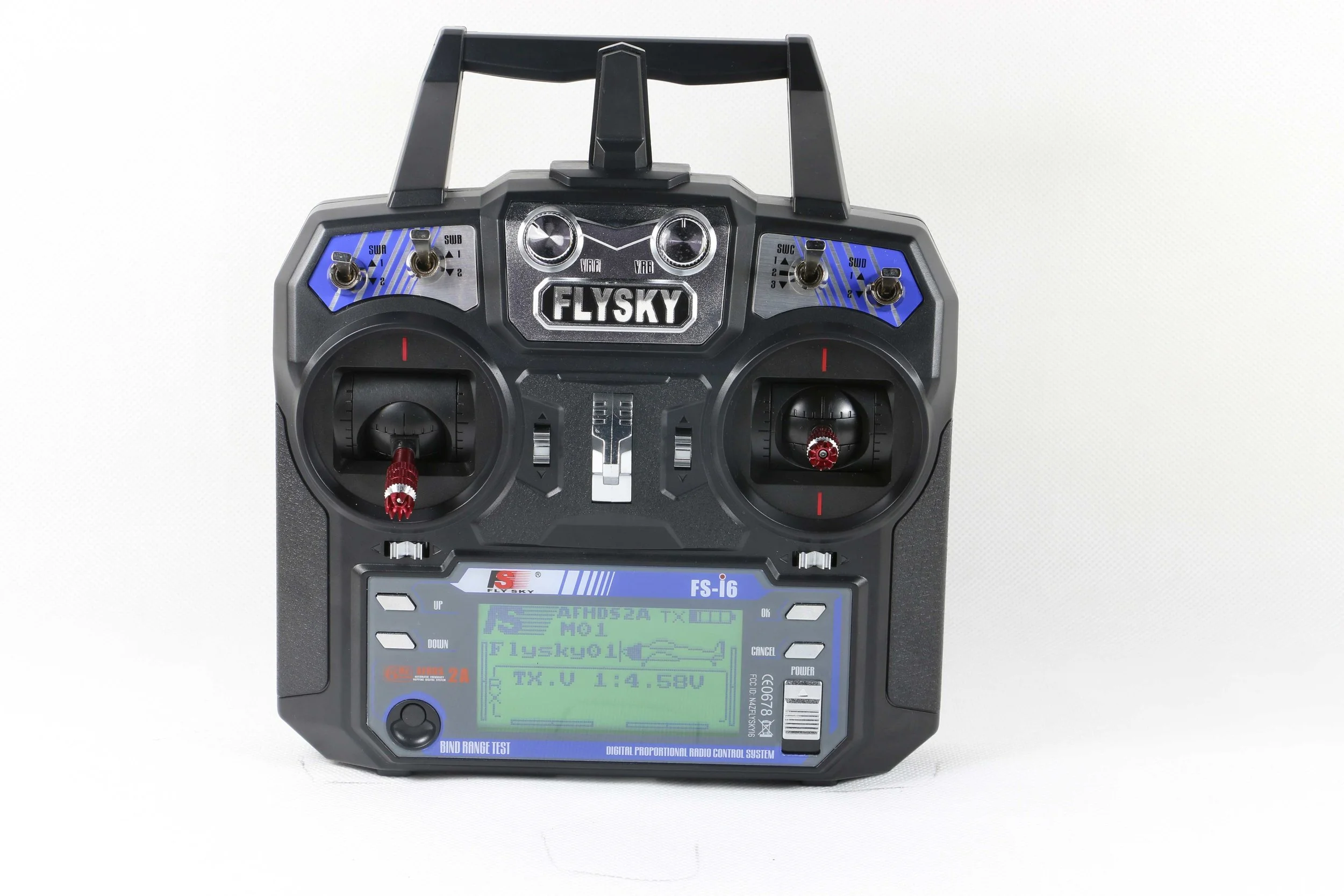
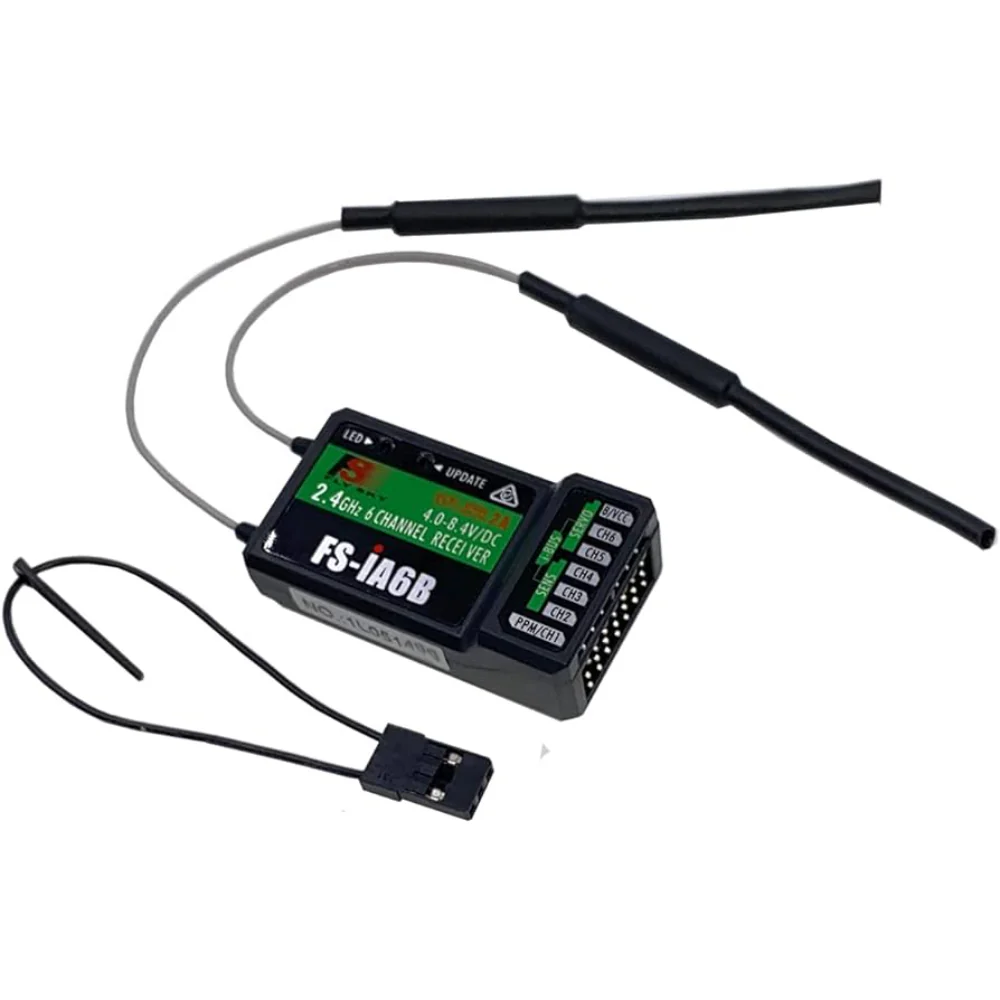
To control the bot wirelessly, we used the FlySky FS-i6 Transmitter paired with the FS-iA6B Receiver.
Why are they needed? #
In RoboSoccer, we need to control the bot’s movement in real time.
The transmitter (remote) sends commands from the operator’s hands, while the receiver (on the bot) captures these commands and forwards them as PWM signals to the Arduino.
How do they work? #
- The FlySky FS-i6 transmitter converts stick movements (throttle, steering, etc.) into digital signals and broadcasts them over the 2.4 GHz band.
- The FS-iA6B receiver, mounted on the bot, listens to this signal and outputs PWM (Pulse Width Modulation) signals for each channel.
- The Arduino reads these PWM signals and translates them into motor driver commands, which control the speed and direction of the motors.
This setup enables our bot to move
FlySky FS-i6 Transmitter: #
| Specification | Details |
|---|---|
| Channels | 6 |
| Frequency Range | 2.405 – 2.475 GHz (AFHDS 2A protocol) |
| Bandwidth | 500 kHz |
| Transmission Power | ≤ 20 dBm |
| Modulation | GFSK |
| Control Distance | Up to ~500 m (open ground) |
| Power Supply | 4 × AA batteries |
| Display | Backlit monochrome LCD |
| Dimensions (mm) | 174 × 89 × 190 |
| Weight | ~392 g |
FlySky FS-iA6B Receiver: #
| Specification | Details |
|---|---|
| Channels | 6 |
| Protocol | AFHDS 2A |
| Frequency Range | 2.405 – 2.475 GHz |
| Power Supply | 4.0 – 6.5 V DC |
| Current Consumption | 30 mA @ 5 V |
| Output Signal | PWM / i-BUS / PPM |
| Range | Up to ~500 m (line of sight) |
| Dimensions (mm) | 47 × 26.2 × 15 |
| Weight | ~14 g |
| Antenna | Dual antenna (for stable signal) |
We connected the receiver channels to the Arduino UNO, which then maps the PWM signals to motor control commands.
This enables us to control both speed and direction of the bot during RoboSoccer matches.
We are very grateful of Dr. Durlov Sonowal Sir who provided us this pair to use.
You can buy it from any online site or offline store.
The Battery: #
To power our bot, we used a 3S LiPo (Lithium Polymer) battery with a 3300 mAh capacity.
Why a LiPo Battery? #
- High Discharge Capability: LiPos deliver large bursts of current instantly, which is essential when the motors need sudden torque.
- Lightweight & Compact: Higher energy density than NiMH or Li-ion, helping us stay within the 5 kg bot weight limit.
- Stable Voltage: A 3S pack provides a nominal 11.1 V, which matches with our motor driver and motors.
Pro-Range / Orange 3S 3300 mAh LiPo Specifications: #
| Specification | Details |
|---|---|
| Nominal Voltage (V) | 11.1 |
| Nominal Capacity (mAh) | 3300 |
| Battery Cell Composition | 3S (3 cells in series) |
| Discharge Rate (C Rating) | 25C continuous / 60C burst |
| Max Continuous Current (A) | 82.5 A (3300 × 25 ÷ 1000) |
| Max Burst Current (A) | 198 A (3300 × 60 ÷ 1000) |
| Output Connector | XT-60 |
| Balance Connector | JST-XH |
| Length (mm) | 136 |
| Width (mm) | 43 |
| Height (mm) | 20 |
| Weight (g) | 260 |
| Shipping Weight (kg) | 0.08 |
| Shipping Dimensions (cm) | 17 × 6 × 4 |
Note: You will also need a charger to charge the Lipo battery , We use this charger from ISDT , It works good.
Here is an image of the battery we used:
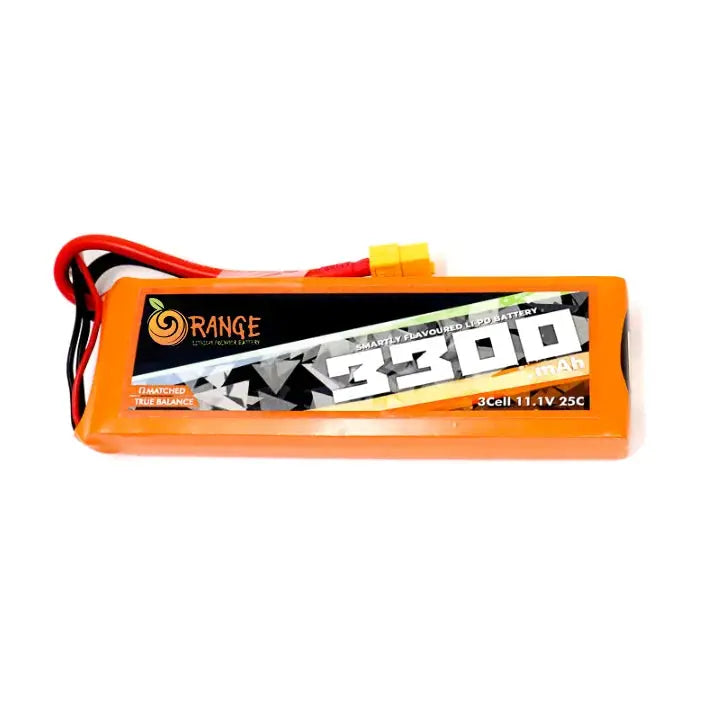
You can buy it from robu or any other place.
The Wheels: #
They are one of the most important parts of your bot , but we ignored them till the end and that caused us many problems. At first we used some plastic wheels bought from a local offline store from guwahati and they broke during a game so choose your wheels wisely. They need to be sturdy so they can take the beating also they need to match with the size of your frame so it can lift your bot from ground properly. I suggest buying them from a site named Technobotix , They make best wheels for Robosoccer, Robosumo and Robowar bots.
The wheels we used are these :
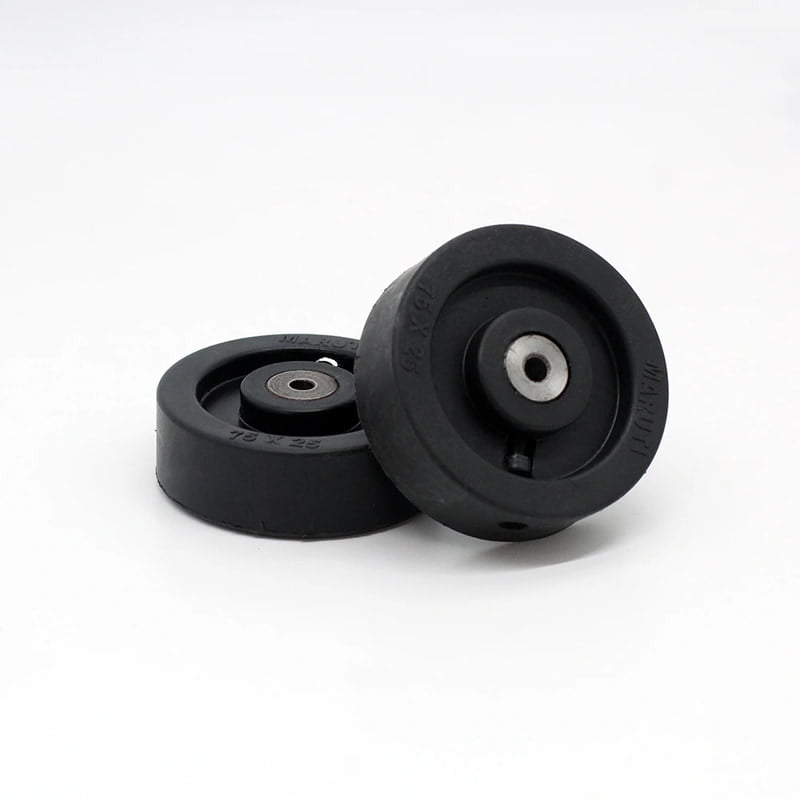
You can buy them from here
Circuit Diagram #
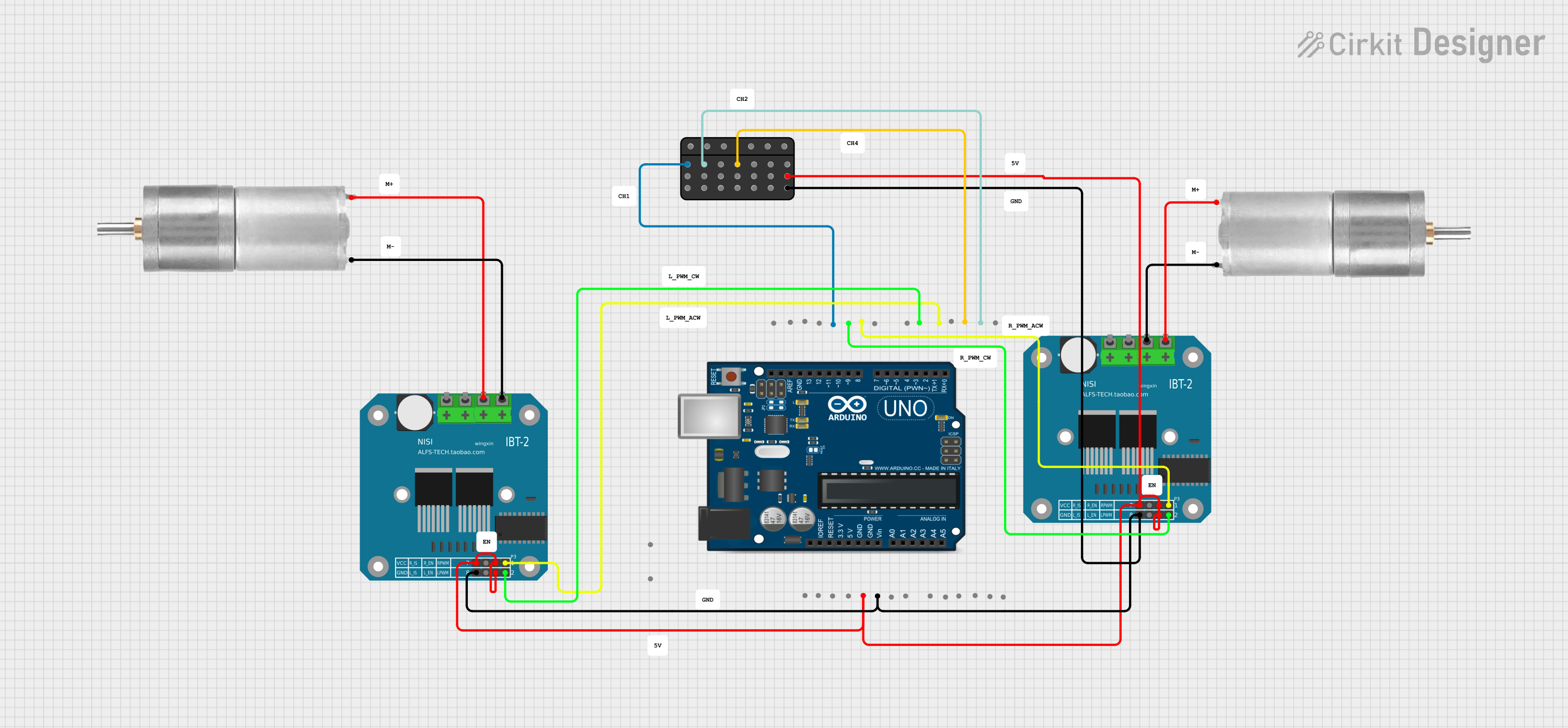
Here is how everything is wired together: the FlySky receiver channels go to the Arduino UNO, the Arduino sends PWM signals to the two BTS7960 (IBT-2) motor drivers, and the drivers power the motors directly from the battery.
Code #
Here is the code that reads the receiver’s PWM signals and drives the motors:
// Define FS-iA6B receiver input pins
int fsia6bPin_CH4 = 3; // Signal wire from FS-iA6B CH1 (Steering - Left/Right)
int fsia6bPin_CH2 = 2; // Signal wire from FS-iA6B CH2 (Throttle - Forward/Backward)
int fsia6bPin_CH1 = 11; // Boom pin

// Define BTS7960 motor driver pins for Motor 1 (Right Motor)
int pwmPin_R = 5;  // RPWM (for forward)
int pwmPin_L = 6;  // LPWM (for backward)

// Define BTS7960 motor driver pins for Motor 2 (Left Motor)
int pwmPin_R2 = 9;  // RPWM (for forward)
int pwmPin_L2 = 10; // LPWM (for backward)

void setup() {
  pinMode(fsia6bPin_CH4, INPUT);  // FS-iA6B CH1 input (Steering)
  pinMode(fsia6bPin_CH2, INPUT);  // FS-iA6B CH2 input (Throttle)
  pinMode(fsia6bPin_CH1, INPUT);
  pinMode(pwmPin_R, OUTPUT);  // BTS7960 RPWM output (Motor 1 - Right)
  pinMode(pwmPin_L, OUTPUT);  // BTS7960 LPWM output (Motor 1 - Right)
  pinMode(pwmPin_R2, OUTPUT); // BTS7960 RPWM output (Motor 2 - Left)
  pinMode(pwmPin_L2, OUTPUT); // BTS7960 LPWM output (Motor 2 - Left)

  analogWrite(pwmPin_R, 0);
  analogWrite(pwmPin_L, 0);
  analogWrite(pwmPin_R2, 0);
  analogWrite(pwmPin_L2, 0);

  Serial.begin(9600);
}

void loop() {
  int pwmValue_CH4 = pulseIn(fsia6bPin_CH4, HIGH); // Read steering (CH1)
  int pwmValue_CH2 = pulseIn(fsia6bPin_CH2, HIGH); // Read throttle (CH2)
  int pwmValue_CH1= pulseIn(fsia6bPin_CH1, HIGH);

  // Convert FS-iA6B PWM to motor speed (-255 to 255)
  int motorSpeed = map(pwmValue_CH2, 1000, 2000, -255, 255);
  motorSpeed = constrain(motorSpeed, -255, 255);

  int boomSpeed = map(pwmValue_CH1, 1000, 2000, -255, 255);
  boomSpeed = constrain(boomSpeed, -255, 255);

  // Convert FS-iA6B CH1 PWM to steering control (-255 to 255)
  int turnValue = map(pwmValue_CH4, 1000, 2000, -255, 255);
  turnValue = constrain(turnValue, -255, 255);
//
//  Serial.print("CH4 PWM: ");
//  Serial.print(pwmValue_CH4);
//  Serial.print(" | Turn Value: ");
//  Serial.print(turnValue);
//  Serial.print(" | CH2 PWM: ");
//  Serial.print(pwmValue_CH2);
//  Serial.print(" | Motor Speed: ");
//  Serial.println(motorSpeed);
//Serial.print("Rotate Speed: ");
//Serial.println(boomSpeed);

//LEFT SMOOTH
if (motorSpeed > 20 && turnValue > 20){
  analogWrite(pwmPin_R, motorSpeed/3);  // Right motor forward
  analogWrite(pwmPin_L, 0);
  analogWrite(pwmPin_R2, turnValue); // Left motor forward
  analogWrite(pwmPin_L2, 0);

//RIGHT SMOOTH
}else if(motorSpeed > 20 && turnValue < -20){
  analogWrite(pwmPin_R, -turnValue);  // Right motor forward
  analogWrite(pwmPin_L, 0);
  analogWrite(pwmPin_R2, (motorSpeed/3)); // Left motor forward
  analogWrite(pwmPin_L2, 0);
}
//LEFT BACK SMOOTH
else if (motorSpeed < -20 && turnValue > 20){
  analogWrite(pwmPin_R, 0);  // Right motor forward
  analogWrite(pwmPin_L, -(motorSpeed/3));
  analogWrite(pwmPin_R2, 0); // Left motor forward
  analogWrite(pwmPin_L2, turnValue);

//RIGHT BACK SMOOTH
}else if(motorSpeed < -20 && turnValue < -20){
  analogWrite(pwmPin_R, 0);  // Right motor forward
  analogWrite(pwmPin_L, -turnValue);
  analogWrite(pwmPin_R2, 0); // Left motor forward
  analogWrite(pwmPin_L2, -(motorSpeed/3));
}

//FRONTWARD
else if (motorSpeed > 20) {
  analogWrite(pwmPin_R, motorSpeed);  // Right motor forward
  analogWrite(pwmPin_L, 0);
  analogWrite(pwmPin_R2, motorSpeed); // Left motor forward
  analogWrite(pwmPin_L2, 0);
}
//BACKWARD
 else if (motorSpeed < -20) {
  analogWrite(pwmPin_R, 0);
  analogWrite(pwmPin_L, -motorSpeed); // Right motor backward
  analogWrite(pwmPin_R2, 0);
  analogWrite(pwmPin_L2, -motorSpeed); // Left motor backward
}
//RIGHT TURN
else if(turnValue > 20){
  analogWrite(pwmPin_R, 0);
  analogWrite(pwmPin_L, 0);
  analogWrite(pwmPin_R2, turnValue);
  analogWrite(pwmPin_L2, 0);
}
//LEFT TURN
else if(turnValue < -20){
  analogWrite(pwmPin_R, -turnValue);
  analogWrite(pwmPin_L, 0);
  analogWrite(pwmPin_R2, 0);
  analogWrite(pwmPin_L2, 0);
}

//CLOCKWISE BOOM
else if (boomSpeed >= 230) {
  analogWrite(pwmPin_R, 0);
  analogWrite(pwmPin_L, 255);
  analogWrite(pwmPin_R2, 255);
  analogWrite(pwmPin_L2, 0);
}

//ANTICLOCKWISE BOOM
else if (boomSpeed <= -230) {
  analogWrite(pwmPin_R, 255);
  analogWrite(pwmPin_L, 0);
  analogWrite(pwmPin_R2, 0);
  analogWrite(pwmPin_L2, 255);
}

//STOP
else{
  analogWrite(pwmPin_R, 0);
  analogWrite(pwmPin_L, 0);
  analogWrite(pwmPin_R2, 0);
  analogWrite(pwmPin_L2, 0);
}

  delay(20);  // Small delay to avoid excessive readings
}Bill of Materials #
Here is the full list of everything we used to build our bot, along with what each part costs. Prices are in Indian Rupees (₹) and were checked on the shops websites in October 2026, so they may have changed by the time you read this.
| Sl. No. | Component | Specification / Model | Qty. | Unit Price | Total |
|---|---|---|---|---|---|
| 1 | DC Gear Motors | Rhino IG32, 12V, 300 RPM, 10 kg·cm planetary geared | 4 | ₹1,699 | ₹6,796 |
| 2 | Motor Driver | BTS7960 (IBT-2), 43A H-bridge | 2 | ₹329 | ₹658 |
| 3 | Microcontroller | Arduino UNO R3 (clone, ATmega328P) | 1 | ₹300–₹500 | ₹300–₹500 |
| 4 | Transmitter + Receiver | FlySky FS-i6 with FS-iA6B, 2.4 GHz, 6 channel | 1 | ₹5,699 | ₹5,699 |
| 5 | Battery | Orange 3S 3300 mAh 11.1V LiPo, 25C/60C | 1 | ₹2,559 | ₹2,559 |
| 6 | LiPo Charger | ISDT PD60, 60W/6A, 1–4S balance charger | 1 | ₹1,919 | ₹1,919 |
| 7 | Wheels | Polypropylene wheel with hub, 76.2 × 25.4 mm | 4 | ₹125 | ₹500 |
| 8 | Chassis | Mild steel, fabricated | 1 | ₹1500–₹2,500 | ₹1500–₹2,500 |
| TOTAL | ₹19,931 to ₹21,131 |
Things to keep in mind #
- The chassis cost varies a lot. It depends on who fabricates it and how much steel you use, so treat that row as a rough estimate.
- The transmitter and receiver are the biggest single cost. We were lucky to have a pair lent to us, but if you are buying new, they take up about a third of the budget.
- Don’t skip the charger. A LiPo battery needs a proper balance charger, and it is not worth risking the battery to save a bit of money here.
- The Arduino clone is fine. Any UNO R3 compatible board works for this project, and it costs far less than the original board (₹1,879).
- Wires, connectors and hardware are not included. You will also need some wire, XT-60 connectors, nuts and bolts, and a power switch, so keep a little extra budget for them.